How people opt in to Callable texts
Callable is a service of LeadSurgeGen LLC. Callable sends text messages only to people who give us their mobile number while booking a consultation, and to law firm staff who choose text alerts. We never buy, rent or share phone numbers.
People booking a consultation
People use Callable inside an AI assistant such as Claude or ChatGPT. When they choose lawyers to book, a booking form opens from a private link made for that booking. That’s why the form is shown here as screenshots.
Step 1: Enter a phone number. Directly under the “Phone or email” field, the form says: “If you enter a phone number, you’ll get texts about this booking from Callable. Msg & data rates may apply. Reply STOP to opt out, HELP for help.” The person ticks the consent box and submits.
Step 2: Confirm the number. We text a one-time code to the number, and the person enters it to confirm.
Step 3: Booking requested. Once confirmed, the person receives only texts about the consultations they requested: confirmations, declines, reschedules and reminders.
Businesses taking requests by phone
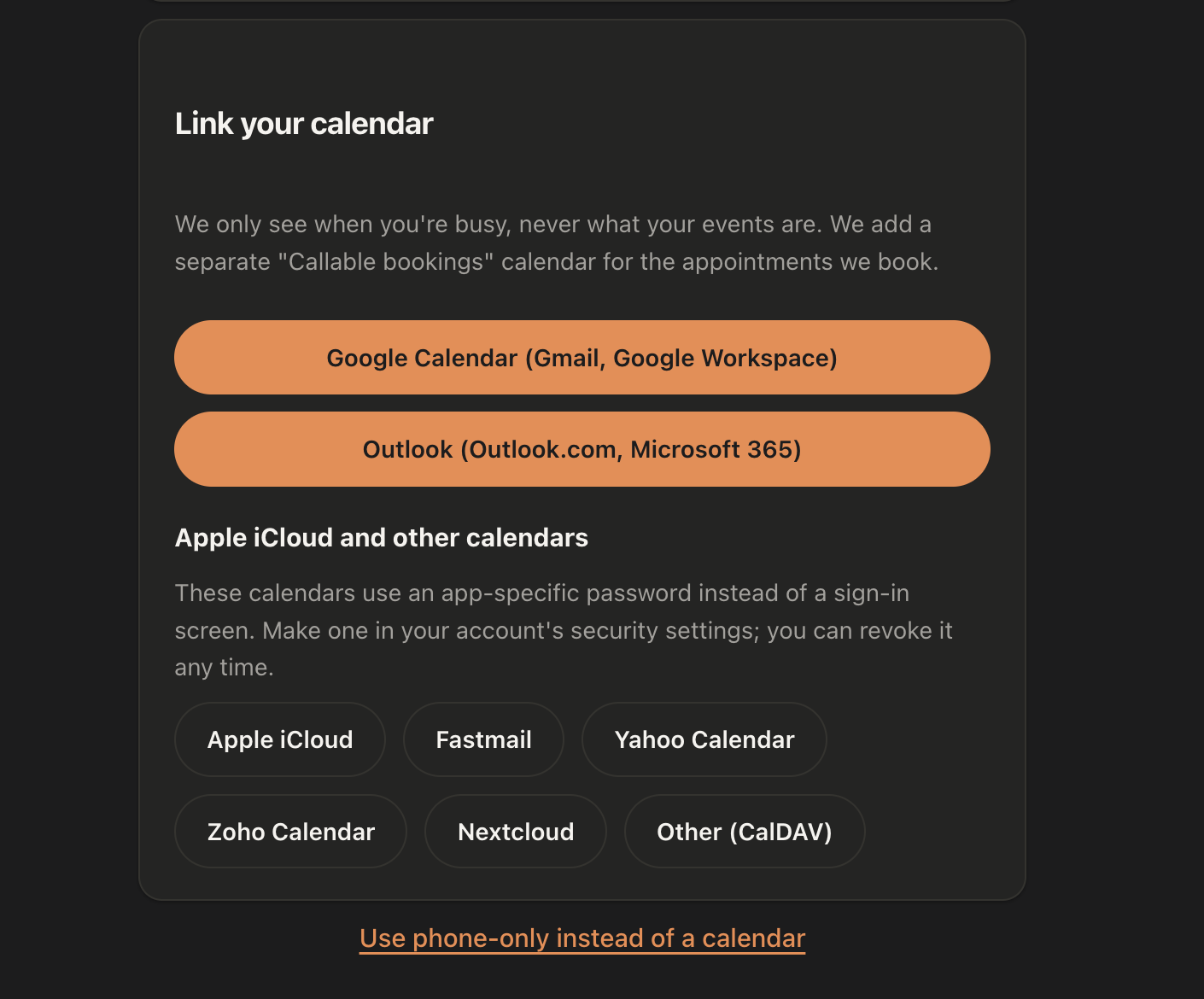
When a business signs up, it can link a calendar or take booking requests by text instead. The calendar screen offers both paths:
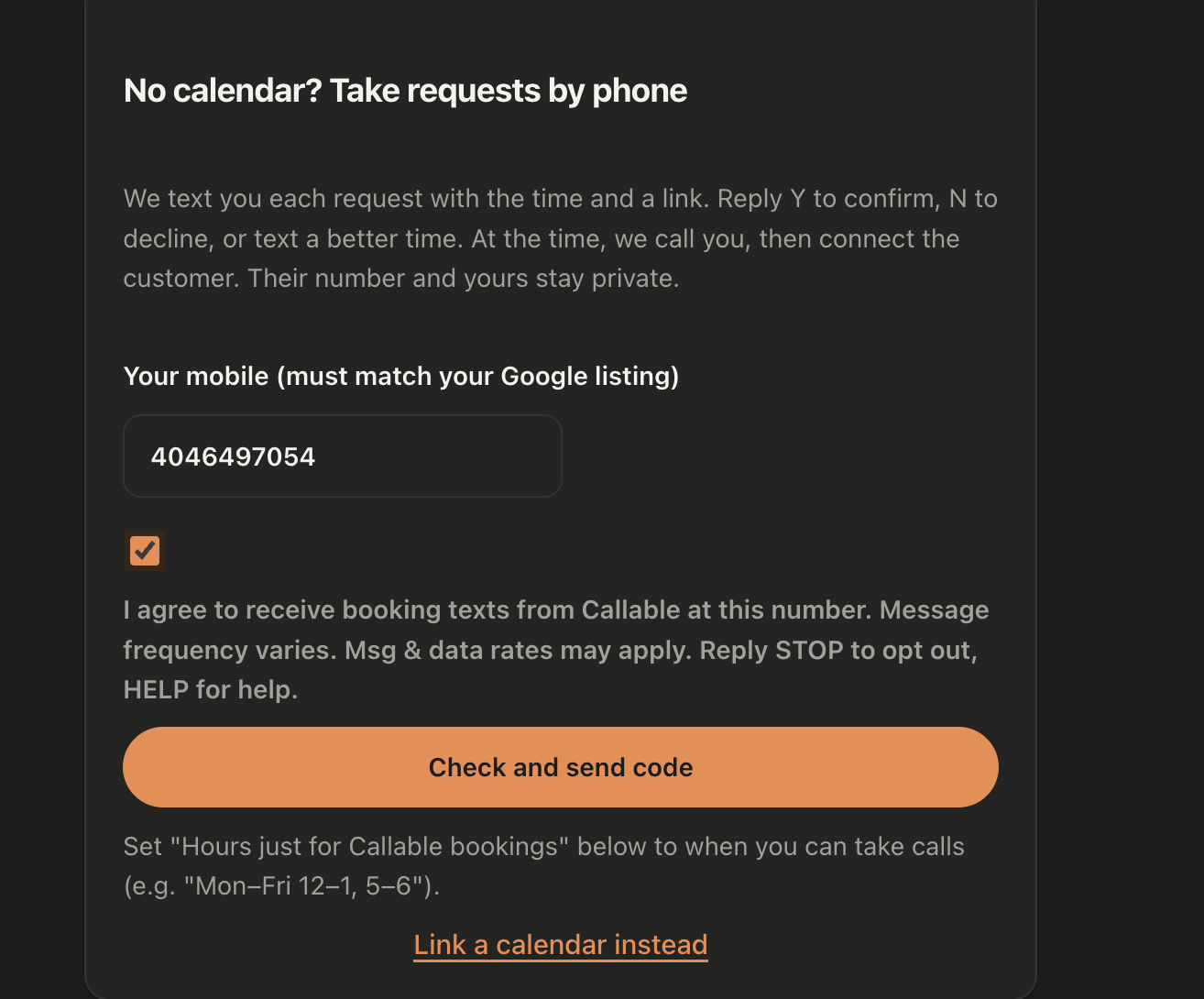
A business that chooses phone-only enters its mobile number and ticks the consent box before any text is sent. The box says: “I agree to receive booking texts from Callable at this number. Message frequency varies. Msg & data rates may apply. Reply STOP to opt out, HELP for help.” The number is then verified with a one-time code.
Law firm staff
In the Callable lawyer app, when a firm adds a staff member’s mobile number for consultation-request alerts, the same disclosure appears under the phone field: “If you choose texts, this number gets consultation request alerts from Callable. Msg & data rates may apply. Reply STOP to opt out, HELP for help.” The number is verified with a one-time code before any alert is sent.
Opting out and help
Reply STOP to any Callable text to stop all messages; reply START to resubscribe. Reply HELP for help, or email support@callable.us. Message frequency varies by booking. Message and data rates may apply.
See our Terms & Conditions and Privacy Policy.